🔎 Overview
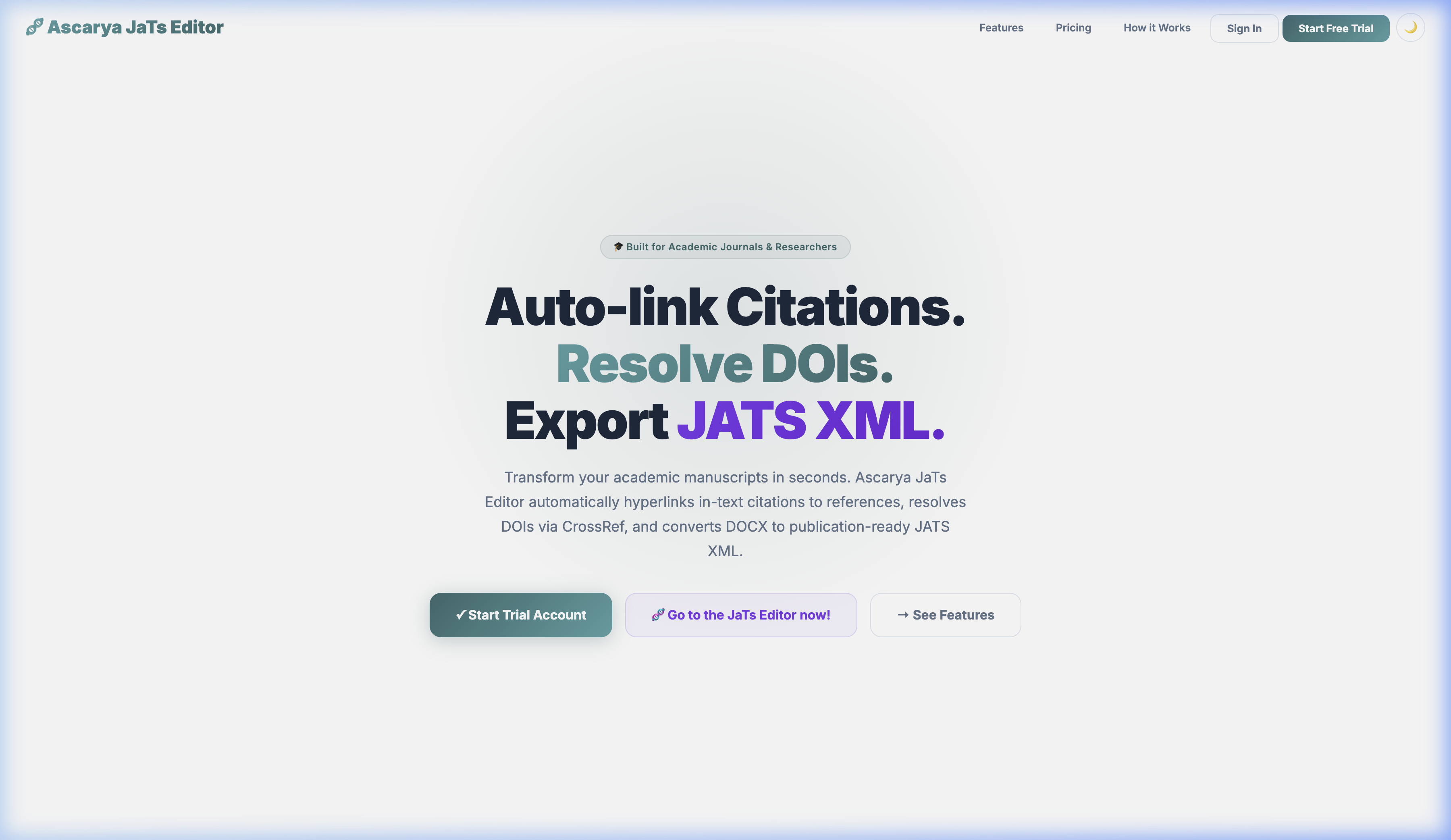
Ascarya JaTs Editor is an all-in-one platform for academic manuscript processing. It consists of two main tools:
- Citation Hyperlinker — Automatically detects citations in your DOCX document, matches them to references, and inserts DOI hyperlinks via CrossRef.
- JATS XML Editor — Converts DOCX into JATS XML 1.3 ready for OJS, PubMed, and other academic databases, complete with a visual editor.
💻 System Requirements
| Requirement | Detail |
|---|---|
| Browser | Chrome, Firefox, Safari, Edge (latest version) |
| File Format | .docx (Microsoft Word / Google Docs export) |
| Internet | Required for CrossRef DOI lookup & Google Scholar |
| Account | Free registration required, includes 2 free trials per tool |
👤 Creating an Account
- Visit the homepage and click "Start Trial Account"
- Fill in your name, email, and password on the registration form
- Check your email and click the verification link
- Once verified, you receive 2 free trials for Hyperlinker and 2 free trials for JATS Editor
📤 Uploading Files
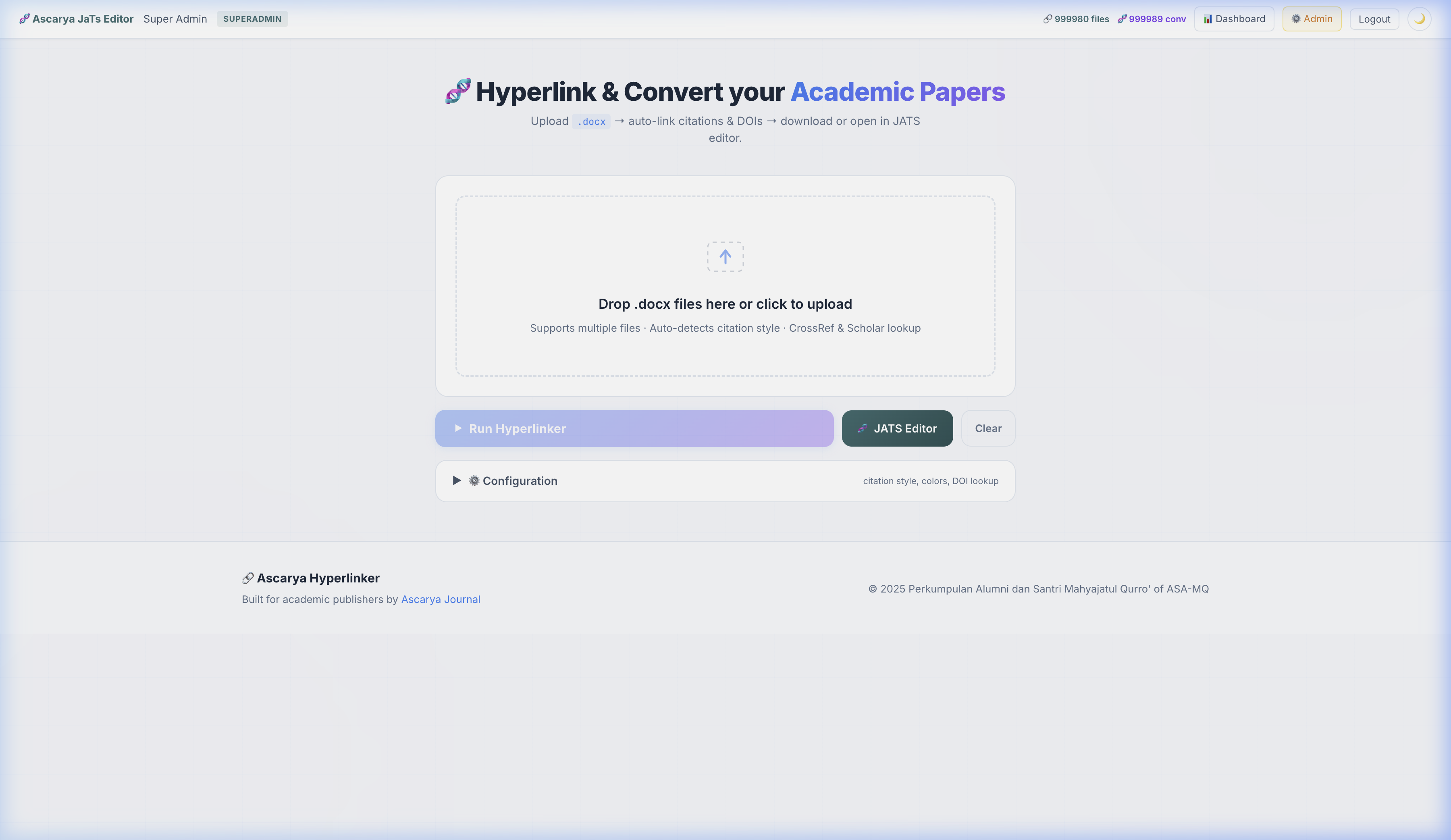
After logging in, open the App page to start processing your manuscript.
How to Upload
- Drag & Drop — Drag your
.docxfile into the upload area - Click to Browse — Click the upload area to select a file from your computer
- Multiple Files — You can upload multiple files at once for batch processing
.docx files are supported. .doc, .pdf, or .odt files cannot be processed.
⚙️ Configuration
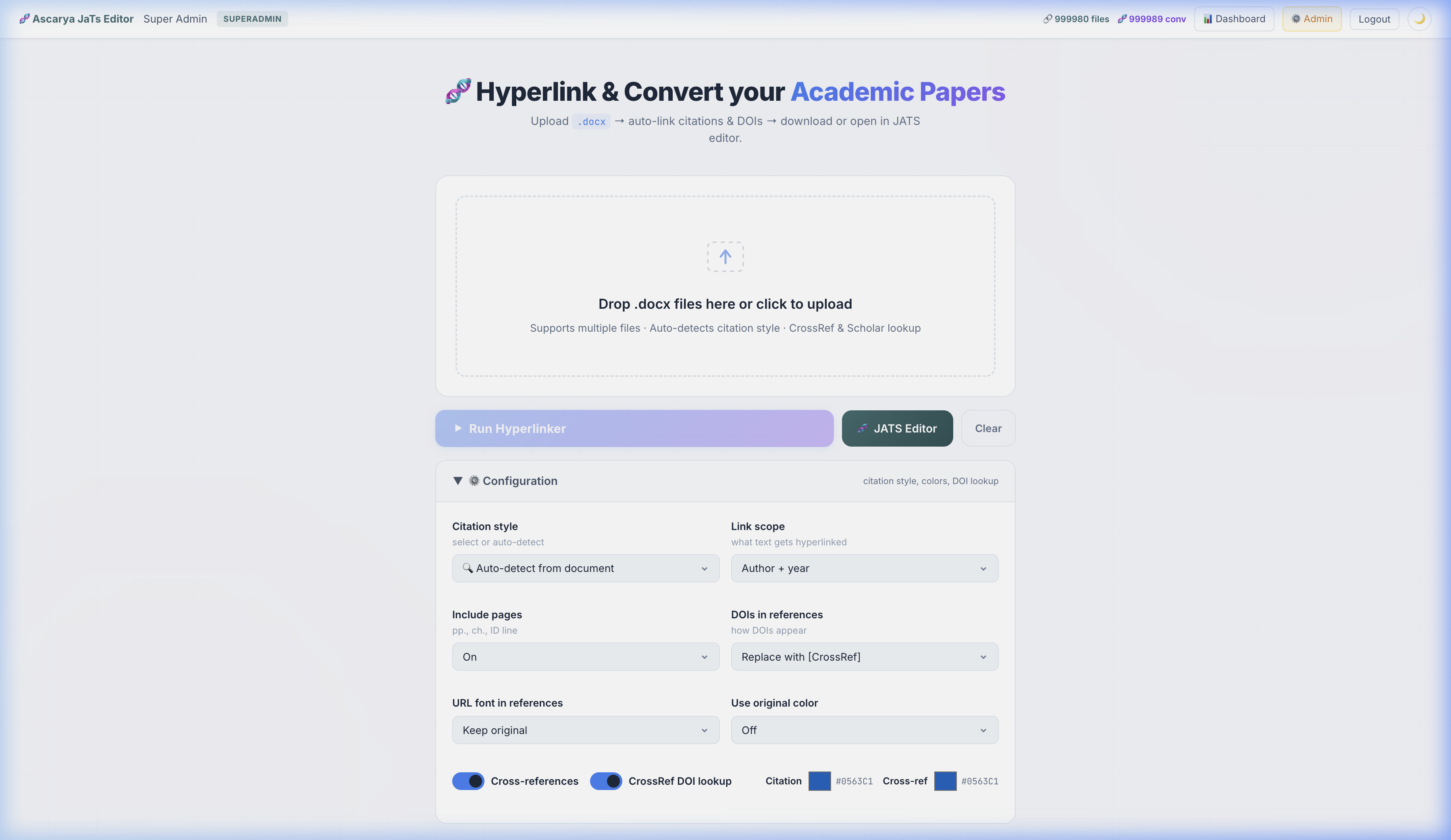
Click the "⚙️ Configuration" panel to customize the processing settings.
| Setting | Description | Default |
|---|---|---|
| Citation Style | Choose a citation style or leave on auto-detect | Auto-detect |
| Link Scope | Which part of the text gets hyperlinked | Author + Year |
| Include Pages | Include page numbers (pp., ch.) in the link | On |
| DOIs in References | How to display DOIs in the reference list | Replace with [CrossRef] |
| CrossRef DOI Lookup | Automatically search for a DOI for each reference | On |
| Citation Color | Hyperlink color for in-text citations | #0563C1 |
| Cross-ref Color | Hyperlink color for cross-references (tables, figures) | #0563C1 |
▶️ Processing
After uploading the file and adjusting the configuration, click the "▶ Run Hyperlinker" button.
What Happens
- Upload — The file is sent to the server
- Parsing — The DOCX structure and references are read
- Style Detection — The citation style is automatically detected
- Citation Matching — In-text citations are matched to references
- DOI Resolution — The CrossRef API searches for a DOI for each reference
- Scholar Linking — Google Scholar fallback for references without a DOI
- Hyperlink Insertion — Hyperlinks are inserted into the document
- Finalize — The final document is saved
📊 Results & Download
Once processing is complete, you will see a results summary:
Displayed Information
- Total Links — Number of hyperlinks successfully inserted
- Style Used — The citation style detected/used
- Refs — Number of references found
- Citations — Number of citations successfully matched
- CrossRef — Number of DOIs successfully resolved
- Scholar — Number of Google Scholar links added
- Unmatched Refs — References that could not be matched
Action Buttons
| Button | Function |
|---|---|
| 📥 Article | Download the hyperlinked DOCX file |
| 📊 Report | Download a detailed report (matched/unmatched citations) |
| 🧬 JaTs Editor | Open the file directly in the JATS XML Editor |
📝 Supported Citation Styles
Ascarya supports 30+ international citation styles, grouped by format:
| Format | Example Styles |
|---|---|
| Author-Date | APA 6th/7th, Chicago AD, Harvard, Turabian, Emerald |
| Numeric | IEEE, AMA, ACS, Nature, Vancouver (NLM) |
| Note/Footnote | Chicago NB, OSCOLA, Turabian NB, MHRA, Bluebook |
| Author | MLA 9th edition |
🧬 Opening the JATS Editor
The JATS Editor can be opened in two ways:
- From Hyperlinker results — Click the "🧬 JaTs Editor" button on the processing results
- Directly — Click the "🧬 JATS Editor" button on the App page, then import a DOCX file
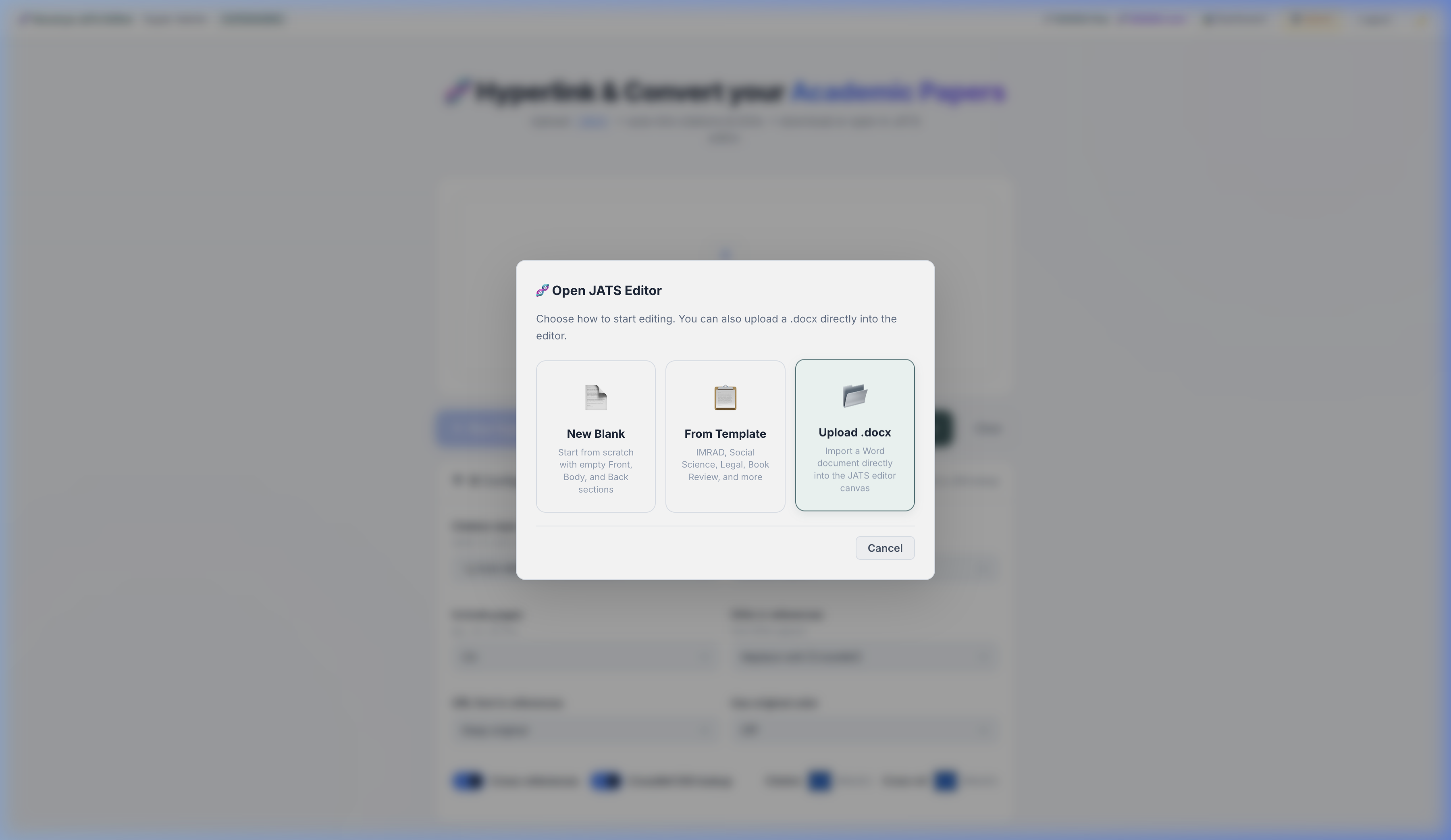
After import, the document will be converted into a JATS XML structure and displayed in the visual editor.
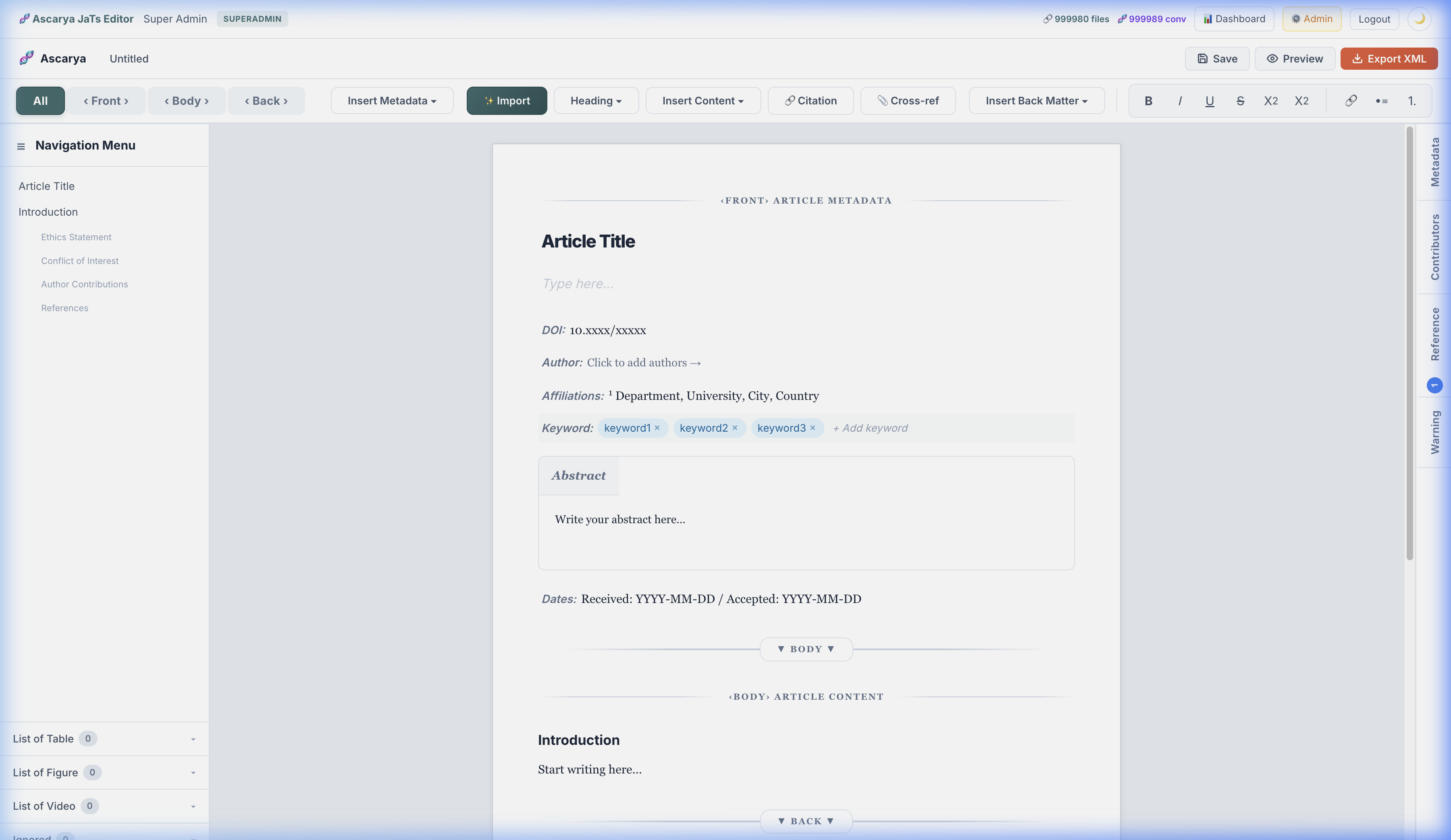
📄 Front / Body / Back
A JATS XML document is divided into three main sections according to the JATS 1.3 standard:
| Section | Contents |
|---|---|
| ‹ Front › | Article metadata: title, authors, affiliations, abstract, keywords, DOI |
| ‹ Body › | Main content: introduction, methods, results, discussion, tables, figures |
| ‹ Back › | Reference list, acknowledgments, biography, conflict of interest |
Use the tabs in the toolbar to switch between sections, or select "All" to view everything at once.
🔧 Formatting Toolbar
Context Menus
- ✨ Import — Import a new DOCX file into the editor
- Heading ▾ — Change the heading level (H1–H6) or paragraph
- Insert Content ▾ — Insert a section, figure, table, formula, or video
- 🔗 Citation — Link selected text to a reference
- 📎 Cross-ref — Create a cross-reference to a figure/table/formula
Text Formatting
- B Bold · I Italic · U Underline · S Strikethrough
- X² Superscript · X₂ Subscript
- 🔗 Insert link · •≡ Bullet list · 1. Numbered list
📋 Metadata Panel
The metadata panel on the right side of the editor contains all the information required for valid JATS XML.
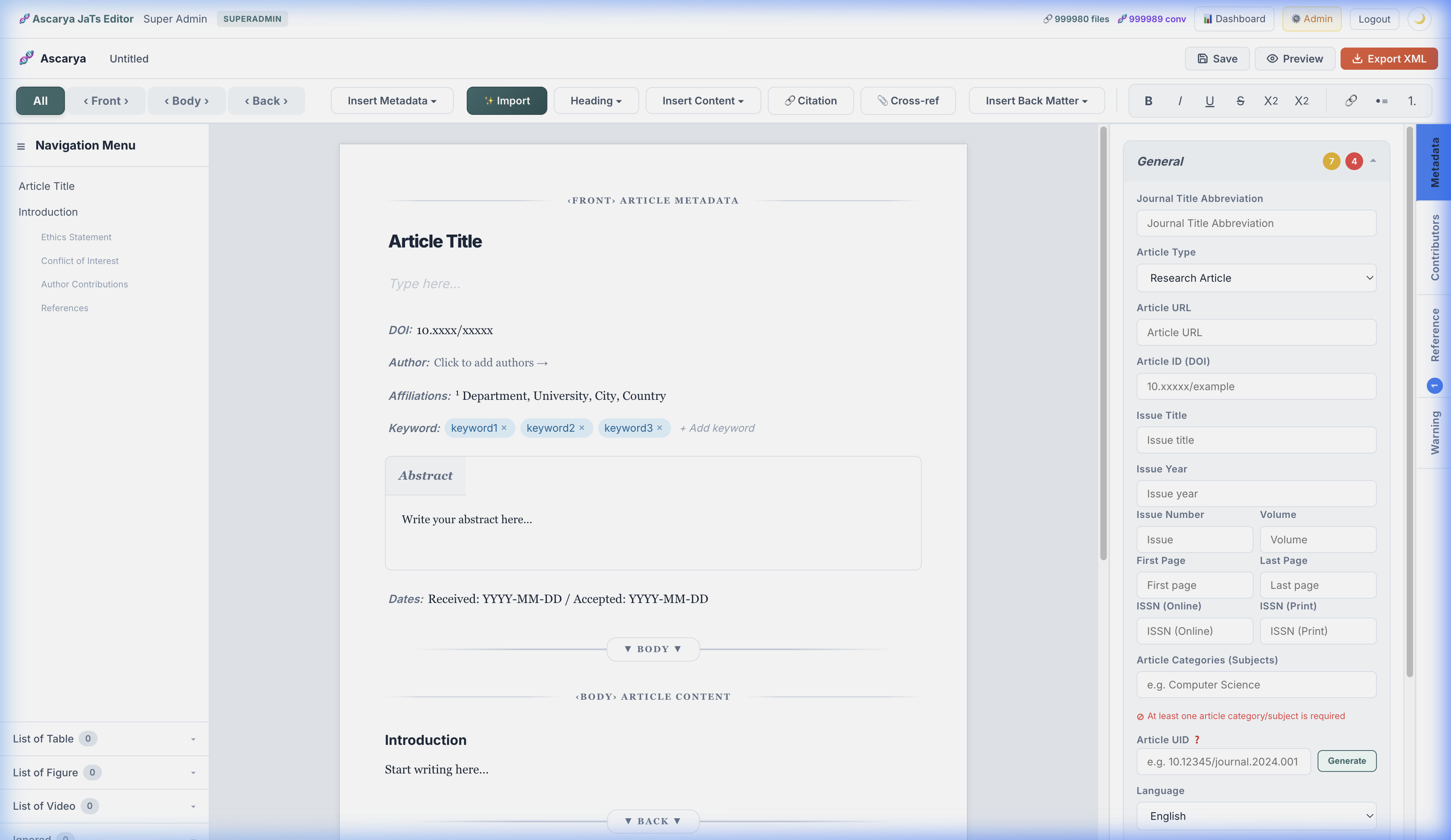
Metadata Sections
- General — Article type, DOI, ISSN, volume, issue, pages, language, UID
- Publisher — Publisher name, location, journal name
- Date — Date received, revised, accepted, published
- Permission — License (Creative Commons), copyright holder, copyright year
- Funding — Funding statement, open access funding
👥 Contributors
The Contributors panel manages authors, reviewers, and editors of the article:
- Authors — Add authors with name, email, affiliation, ORCID
- Reviewers — Add reviewers (optional)
- Editors — Add editors (optional)
- Correspondence — Select the corresponding author
📚 References
The References panel displays all references detected from the document. Features:
- Search — Search references by text
- DOI Badge — References with a DOI are marked with a blue badge
- Edit — Click a reference to edit its details
- Link Status — Link status for each reference (linked/unlinked)
📦 Exporting XML
Click the "Export XML" button in the editor top bar to export:
- JATS XML — An XML file conforming to the JATS 1.3 standard, ready to upload to OJS
- Preview — Preview the XML before downloading
- Save Draft — Save a draft to the server to continue later
⚠️ Warnings Panel
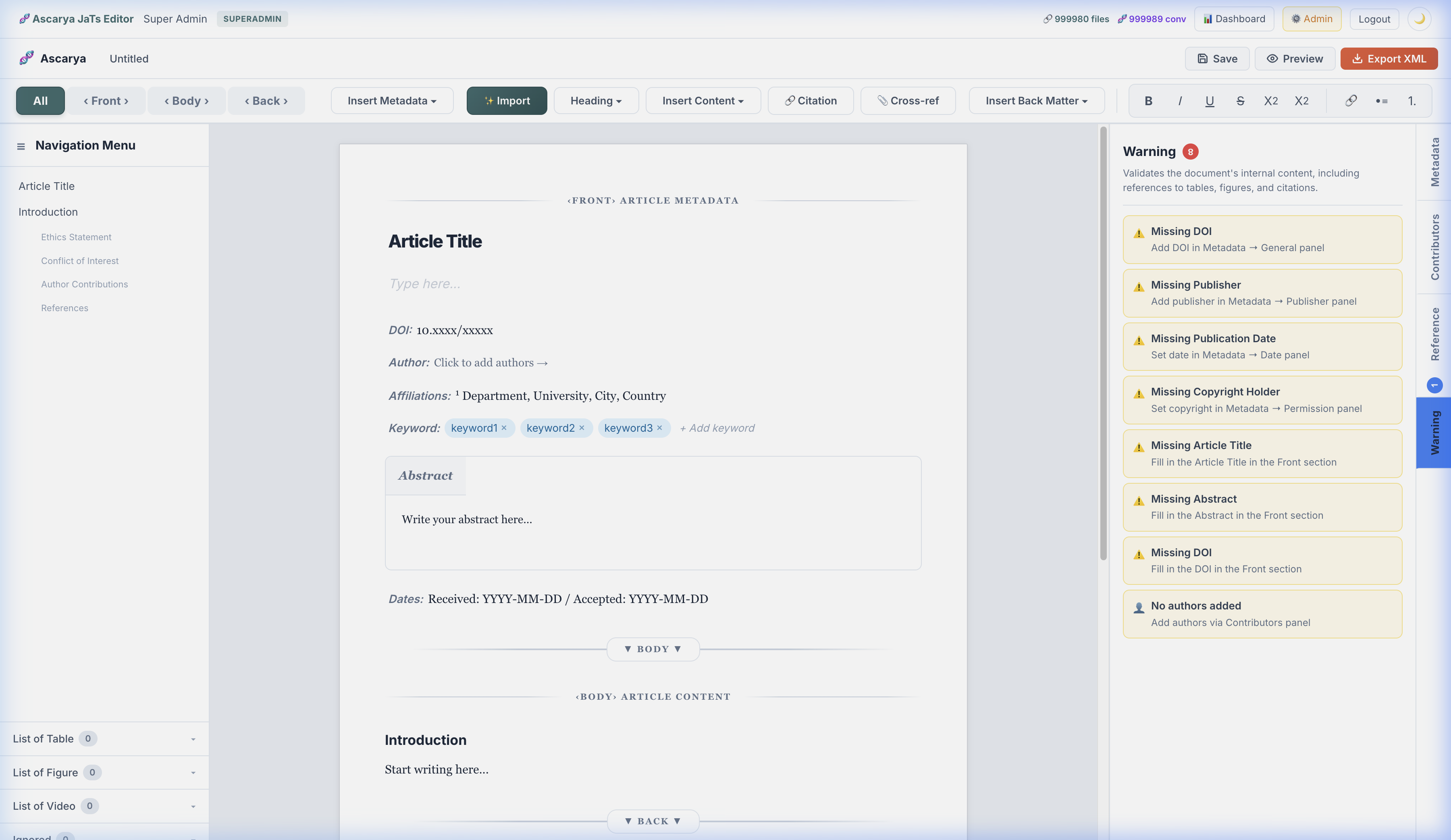
The Warnings panel displays automatic validation checks on the document:
- Cross-references to tables/figures that were not found
- Citations not linked to any reference
- Required metadata fields that have not been filled in
- Inconsistent heading structure
⌨️ Keyboard Shortcuts
| Shortcut | Action |
|---|---|
| ⌘ + Enter | Run Hyperlinker (from the App page) |
| ⌘ + B | Bold |
| ⌘ + I | Italic |
| ⌘ + U | Underline |
| ⌘ + ⇧ + C | Insert Citation Link |
❓ FAQ
Are my files safe?
Yes. Your files are processed on our server and automatically deleted after 24 hours. We do not store or share the contents of your documents.
How long does it take to process one file?
On average 30–90 seconds, depending on the number of references. Files with 50+ references may take longer due to DOI lookup via CrossRef.
Why are there "unmatched refs"?
Unmatched references typically occur because: (1) Inconsistent citation formatting within the document, (2) References that are not cited in the body text, or (3) References from non-standard sources (legislation, websites, etc.).
What citation formats are supported?
30+ international citation styles including APA, Chicago, IEEE, Vancouver, Harvard, MLA, OSCOLA, Turabian, Bluebook, and more. See the Citation Styles section for the full list.
How do I purchase quota?
Contact us via email admin@ascarya.or.id to purchase a package.
Can it be used for non-OJS journals?
Yes. The generated JATS XML follows the international JATS 1.3 standard and is compatible with OJS, PubMed, Crossref, and other systems that support JATS.
📧 Contact & Support
| Channel | Detail |
|---|---|
| admin@ascarya.or.id | |
| Website | ascarya.or.id |
For bug reports, technical questions, or feature requests, please contact us via email.